About
Latest posts
Contact
Subscribe
Resources

Topsy Page

About
Latest posts
Contact
Subscribe
Resources
Topsy Page
1 October 2021
Tips and techniques

Tips to make Zoom sessions interactive (Part 2)

Topsy Page
1 October 2021
Tips and techniques

Here’s a recent conversation I had – a friend telling me they'd been in an online seminar all afternoon:

Me: Was it interactive?

Them:  No – it was Zoom…

What a shame. It doesn’t have to be this way!

Try these techniques to make virtual meetings and lessons more engaging:

Handwritten sign held up in a virtual meeting which says, “Not sure.”
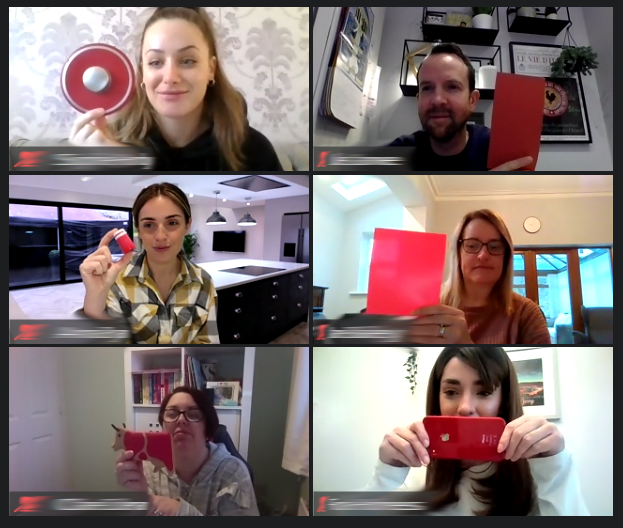
  1. Ask everyone to respond by writing on a piece of paper and holding it up for others to see. (This works best with just one word or a short phrase, using large paper and a marker pen.)

  2. Use the Chat feature, for example:

    • Ask a question (open or closed) and ask everyone to respond using Chat.

    • Ask everyone to write a reaction in Chat.  Giving prompts can help, for example Something I think is interesting is… Something I am wondering is…

    • Ask everyone to write a question in Chat.

  3. Use the ‘Speaker Chooses’ technique – the last person to speak nominates someone else to say what they are thinking. After your group get used to this, you should be able to let them continue the discussion for a while without intervening.
 
More tips for the virtual world
Online lesson engaging example original.jpg
19 November 2021
Tips to make Zoom sessions interactive (Part 4)
19 November 2021

The final instalment of my tips for making online sessions more engaging

19 November 2021
Zoom interaction - green object.jpg
22 October 2021
Tips to make Zoom sessions interactive (Part 3)
22 October 2021

More ideas to encourage participation

22 October 2021
Zoom interactive sign.png
1 October 2021
Tips to make Zoom sessions interactive (Part 2)
1 October 2021

Make virtual meetings and lessons more engaging

1 October 2021
Hamster on Zoom (talk tips).png
10 September 2021
Tips to make Zoom sessions interactive (Part 1)
10 September 2021

Avoiding those empty silences…

10 September 2021
thumbs-up-4589867_1920.jpg
16 July 2021
That's not joggling! Talk and P4C game
16 July 2021

A physical, fun game that can be played face-to-face or virtually

16 July 2021
dialogue hand signal - agree.png
19 February 2021
Hand signals for dialogue in live online learning
19 February 2021

Another simple way to increase interaction and develop pupil talk

19 February 2021
Zoom dialogue game.png
29 January 2021
Live online lessons - talk tip
29 January 2021

Instantly make learning more interactive, and talk more purposeful

29 January 2021
Daisy of joy.png
15 January 2021
Three lovely activities to raise spirits
15 January 2021

Community-building activities which are good for wellbeing as well as vocabulary development

15 January 2021
Virtual Circle example - Topsy Page.jpg
4 September 2020
Virtual Circle
4 September 2020

A structure to allow all students to participate, even if sitting in a real circle isn’t an option right now.

4 September 2020
Example+objects+for+Connection+Challenge+%28P4C+resource%29.jpg
17 July 2020
Quick Talk and P4C game: Connection Challenge
17 July 2020

Get students thinking and talking with a game that only takes moments to set up.

17 July 2020
Teachers with talking toys online.png
15 May 2020
Try using structured talk to start your Zoom sessions
15 May 2020

Invest time in connection before content.

15 May 2020
High quality talk online.png
1 May 2020
How is the quality of talk in your online meetings?
1 May 2020

Creating the conditions for productive dialogue online, just as we would in the classroom.

1 May 2020

Tagged: online learning, pupil engagement

Newer PostMy class don't ask good P4C questions...
Older PostProvocative P4C stimulus
Back to Top
West Yorkshire, United Kingdom